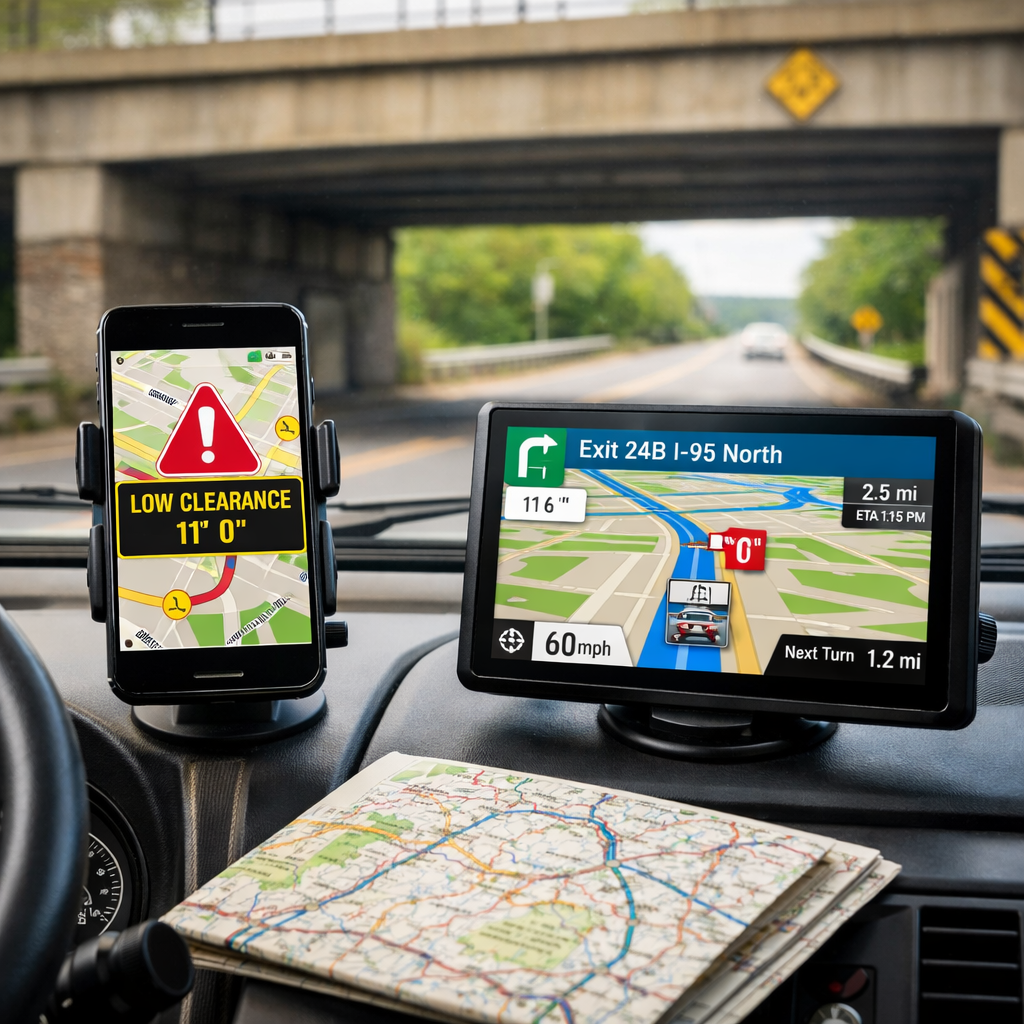
RV Low-Clearance Route Tools Compared: Apps, Maps, and GPS
Planning an RV route that never meets a low bridge takes more than a single app. At RV Critic, the most trusted approach is a hybrid: set your exact vehicle height and weight in a vehicle-aware routing app, verify the path offline, then monitor live traffic and hazards while you drive. This guide compares the best options—apps, maps, and GPS—so you can avoid RV low clearance surprises, even in dead zones or during day-of detours.
How we evaluated RV low-clearance tools
At RV Critic, we prioritized safety first and cost second across six pillars: vehicle-aware routing (height/weight inputs), low-clearance data quality, offline reliability, real-time traffic/hazards, usability with relevant POI, and pricing.
Global coverage and reputation signal baseline reliability. Google Maps spans 220+ countries and territories, a breadth few match, per this global GPS overview (gisgeography). We also note independent recognition: Google Maps (Best Overall) and Waze (Best for Driving) both lead mainstream rankings according to PCMag’s Best Navigation Apps.
Offline resilience matters for rural travel. HERE WeGo offers downloadable maps worldwide, with live traffic when connected, as summarized in Sixt’s roundup of navigation apps. The same review notes many apps gate crucial features behind subscriptions—plan your budget accordingly.
RV Critic’s practical test flow is one you can replicate:
- Enter precise RV dimensions in a vehicle-aware router.
- Build your route and download offline map regions.
- Cross-check with a second offline app.
- Navigate with your RV-safe app while monitoring a live traffic app for incident-driven changes.
What counts as a trusted RV clearance check
At RV Critic, a trusted RV clearance check combines verified low-bridge and restriction data matched to your rig’s exact height and weight with redundant validation: a vehicle-aware router for planning, an offline map for dead zones, and a live hazard layer. It must function without signal and reflect current restrictions on your chosen roads.
Minimum criteria to trust a route:
- Accurate vehicle profile inputs (height, weight, length, axles).
- Visible clearance data or low bridge alerts on the map.
- Offline turn-by-turn availability for the full route.
- Secondary validation via crowdsourced/live apps and on-road signage.
Offline matters. HERE WeGo, Gaia GPS, OsmAnd, and Maps.me provide strong offline options; Gaia’s premium sources range from $5.99–$119.99 according to Sixt’s roundup of navigation apps.
Vehicle-aware routing and low-clearance avoidance
Vehicle-aware routing means your navigation engine uses your RV’s exact height, weight, and sometimes axle count to automatically avoid low bridges, weight limits, and length-restricted segments. It proactively blocks unsafe roads before turn-by-turn guidance begins.
Truck- and RV-focused apps accept vehicle profiles; mainstream apps generally do not. Tools like TomTom, Sygic, and CoPilot frequently appear in truck/RV routing roundups, and CoPilot GPS offers vehicle-specific routing from about $14.99/year per Badger Mapping’s best navigation apps. RV Critic’s take: use one of these as your primary RV GPS app to enforce height restrictions and low bridge alerts.
Offline reliability for rural routes
Connectivity is never guaranteed on forest roads or open desert. Prioritize apps that work fully offline:
- HERE WeGo provides worldwide offline maps with live traffic when connected (Sixt’s roundup of navigation apps).
- Gaia GPS supports offline topo and road maps; premium map sources carry additional costs (Sixt’s roundup of navigation apps).
- OsmAnd runs online/offline and imports GPX routes (Sixt’s roundup of navigation apps).
- Maps.me is fully offline and battery-efficient (Badger Mapping’s best navigation apps).
Quick offline checklist:
- Pre-download entire states/regions; OsmAnd allows selective tiles to save storage (gisgeography).
- Confirm offline turn-by-turn and search quality; some users reported HERE WeGo’s offline search degraded after its 2021 update (Sixt’s roundup of navigation apps).
- Verify that low-clearance warnings still show offline in your chosen app.
Real-time traffic and hazard reporting
Live data complements vehicle-aware routing by catching day-of changes—closures, debris, stalls—that maps alone miss. Waze delivers crowdsourced, real-time alerts that can meaningfully improve routing, per PCMag’s Best Navigation Apps, and holds a 4.8/5 rating with over 3.1 million reviews (Waze on the App Store). Google Maps also provides AI-driven routing updates alongside offline downloads (PCMag’s Best Navigation Apps).
Trade-off: mainstream live apps don’t apply RV-specific rules. At RV Critic, we pair a live app for incident awareness with a vehicle-aware primary to preserve clearance safety. A split-screen or dual-device approach lets your vehicle-aware app lead while Waze/Google flags problems ahead.
Route planning, POI, and usability
Route quality improves when planning features match RV travel:
- Look for multi-stop planning, lane guidance, and detour controls. CoPilot, for example, is frequently noted for clear lane guidance and smart rerouting in app roundups (Badger Mapping’s best navigation apps).
- POI layers are vital: truck stops, diesel, dump stations, and overnight parking. Trucker Path’s community data is well-rated at 4.75 stars across 73.3K reviews (Bitrise App Navigator (Maps & Navigation)).
Usability caveats:
- Some apps overload maps with hazard icons that obscure turns (noted in multi-app roundups such as Sixt’s).
- OsmAnd’s interface and search can be challenging for new users (Sixt’s roundup of navigation apps).
Pricing, subscriptions, and total cost
Expect paywalls. Many apps hide advanced features—like offline regions, vehicle profiles, or traffic—behind subscriptions (Sixt’s roundup of navigation apps). Some tools even limit the first 50 miles per month before requiring a subscription (Sixt’s roundup of navigation apps). CoPilot GPS starts around $14.99/year for vehicle-specific routing (Badger Mapping’s best navigation apps).
Budget for total cost of ownership:
- Offline map packs and premium sources (e.g., Gaia $5.99–$119.99) can add up (Sixt’s roundup of navigation apps).
- Free tiers often include ads or feature caps; a modest annual fee may be worthwhile for safety-critical RV trip planning. RV Critic evaluates value by what reliably prevents clearance mistakes, not by sticker price alone.
Google Maps
What it does best: coverage, traffic, polish. Google Maps spans hundreds of millions of places across 220+ countries and territories (gisgeography) and is PCMag’s Best Overall pick with offline downloads and AI-driven routing updates (PCMag’s Best Navigation Apps).
Guidance: Use for live traffic, lane-level guidance, and last-mile verification. Don’t rely on it for low-clearance avoidance; pair it with a vehicle-aware app.
Waze
Waze excels at real-time, crowdsourced alerts that enhance rerouting (PCMag’s Best Navigation Apps). It maintains a 4.8/5 rating with 3.1M reviews (Waze on the App Store).
Guidance: Keep Waze as your live alert companion. Confirm any detours against your vehicle-aware app to maintain low bridge avoidance. Expect occasional UX shifts (like exit numbering changes) noted in user roundups.
HERE WeGo
HERE WeGo offers worldwide offline maps and live traffic (Sixt’s roundup of navigation apps) and supplies map data to major automakers for in-vehicle updates (cited in industry roundups like Badger Mapping). Some users reported offline search/routing degraded after a 2021 update (Sixt’s roundup of navigation apps).
Guidance: Treat HERE WeGo as a strong offline base map. Verify searches and planned routes before departure, especially in rural areas.
Sygic Truck and RV
Sygic routinely appears among truck/RV navigation options in mainstream roundups (Sixt’s roundup of navigation apps). It supports vehicle profiles and robust offline maps.
Guidance: Create a precise RV profile (height, weight, length, axles). Download offline regions and test a sample route with known low bridges to confirm proper avoidance.
TomTom GO Expert
TomTom’s truck-capable apps are commonly recognized for vehicle-aware routing in app roundups (Sixt’s roundup of navigation apps). Offline reliability and traffic add-ons are well established.
Guidance: Use vehicle profiles to enforce low-clearance avoidance. Evaluate paid tiers with traffic and advanced routing if you travel frequently or full-time.
CoPilot GPS
CoPilot delivers vehicle-specific routing and generally competitive pricing from about $14.99/year (Badger Mapping’s best navigation apps).
Guidance: Enter exact dimensions and enable lane guidance and offline maps. Test a corridor with known low bridges to confirm the engine respects your profile.
Trucker Path
Trucker Path shines for parking, fuel, weigh stations, and some low-bridge intelligence. Its app quality is rated 4.75★ with 73.3K reviews (Bitrise App Navigator (Maps & Navigation)).
Guidance: Use it to find RV-friendly services and parking. Cross-check any truck-priority detours with your RV’s needs and local restrictions.
Gaia GPS
Gaia is a premium planning and verification tool with topographic, road, satellite, and national agency maps such as USGS (Adventure Alan’s GPS app guide). Offline capability spans free and premium sources priced $5.99–$119.99 (Sixt’s roundup of navigation apps).
Guidance: For boondocking navigation, verify terrain, road class, and grade visually. Pre-download tiles for no-signal zones.
OsmAnd
OsmAnd is a flexible offline mapper with GPX import, voice/lane guidance, and ETA (Sixt’s roundup of navigation apps). It allows downloading individual map tiles to conserve storage (gisgeography). The interface and search take practice (Sixt’s roundup of navigation apps).
Guidance: Use it for fine-grained offline verification and to load GPX routes exported from your planner.
Maps.me
Maps.me is fully offline and praised for battery efficiency in app roundups (Badger Mapping’s best navigation apps). It reports around 60M users and offers travel guides plus offline routing across modes (Built In overview of GPS apps).
Guidance: Keep it as a quick, lightweight verifier for rural segments and local POIs when connectivity is limited.
MapFactor
MapFactor is a budget-friendly offline option, often noted for a free tier with optional TomTom map purchases (Sixt’s roundup of navigation apps).
Guidance: Treat it as a secondary offline backup. Before long trips, confirm route quality and map freshness along your corridor.
MapQuest
MapQuest began as a desktop navigation service and still offers a mobile app (Sixt’s roundup of navigation apps).
Guidance: Use it for simple web-based pre-planning, then confirm any route in a vehicle-aware app before driving.
Side-by-side takeaways by scenario
Quick picks to match your rig and route style:
| Scenario | Recommended stack |
|---|---|
| Big rig Class A and tall fifth wheels | Sygic/TomTom/CoPilot for vehicle-aware routing; Waze/Google for live traffic; HERE WeGo or OsmAnd offline backup; POIs via Trucker Path (well-rated). |
| Mid-size Class C and travel trailers | CoPilot or Sygic with accurate dimensions and lane guidance; Maps.me or HERE WeGo offline; Waze for incidents. |
| Boondocking and backroads | Vehicle-aware app for primary; verify with Gaia (topo/satellite, premium offline options) and OsmAnd tile downloads; avoid unknown forest roads without confirmation. |
| Urban detours and day-of changes | Keep the vehicle-aware app primary; consult Waze for live alerts; validate any reroute against bridge heights before accepting. |
Big rig Class A and tall fifth wheels
- Lead with Sygic, TomTom, or CoPilot using strict height/weight profiles.
- Pair with Waze or Google for traffic; keep HERE WeGo or OsmAnd offline as a fallback.
- Cross-check fuel and parking with Trucker Path’s well-rated data (Bitrise App Navigator (Maps & Navigation)).
Mid-size Class C and travel trailers
- Use CoPilot or Sygic with precise dimensions and lane guidance enabled.
- Keep Maps.me or HERE WeGo downloaded for rural segments.
- Monitor Waze for closures and incidents.
Boondocking and backroads
- Verify roads with Gaia’s topo/satellite layers and premium offline options (Sixt’s roundup; Adventure Alan’s GPS app guide).
- Use OsmAnd tile downloads to save storage (gisgeography).
- Navigate primarily with a vehicle-aware app; avoid unverified forest roads.
Urban detours and day-of changes
- Let your vehicle-aware app lead; consult Waze for live hazards (PCMag’s Best Navigation Apps).
- Validate any detour against your RV profile and known bridge heights.
Our recommendation and safe routing workflow
RV Critic recommends a hybrid stack: a vehicle-aware routing app (Sygic/TomTom/CoPilot) for clearance safety, a mainstream live app (Google Maps/Waze) for incidents, and an offline map app (Gaia/OsmAnd/Maps.me) for pre-trip verification and no-signal resilience (PCMag’s Best Navigation Apps; Sixt’s roundup of navigation apps).
Set and verify true RV height
- Measure from pavement to your tallest fixed point (AC, dome) on level ground.
- Add a 3–6 inch safety buffer; record height, weight, length, and axle count.
Plan with a vehicle-aware app
- Enter your exact profile in Sygic/TomTom/CoPilot and build the route.
- Confirm low-clearance segments are avoided; download regional maps for offline use.
Cross-check with an offline map
- In Gaia/OsmAnd/Maps.me, pre-download tiles and verify road class, bridges, and underpasses.
- Flag any suspect segments to adjust manually.
Drive with a live traffic app
- Keep Waze/Google active for closures and hazards while following your RV-safe guidance (PCMag’s Best Navigation Apps).
- Verify any suggested detour respects your RV profile before accepting.
Confirm signage and adapt on the road
- Always prioritize posted clearance and restriction signs over any app.
- If a surprise low-clearance appears, stop safely, reassess with offline maps, and reroute.
Frequently asked questions
What is the most trusted way to check RV clearance on routes
RV Critic recommends using a vehicle-aware routing app set to your exact height/weight, cross-checking with an offline map, and monitoring a live traffic app. Always confirm posted signs and avoid any road that conflicts with your RV profile.
How do I measure my true RV height safely
RV Critic’s rule of thumb: measure from pavement to the tallest fixed point on level ground, including add-ons. Add a 3–6 inch safety buffer before entering the value in routing apps.
Do I need an RV-specific GPS if I already use Google Maps
Yes for tall or heavy rigs. Google Maps doesn’t apply vehicle height/weight rules, so pair it with an RV/truck-aware app and use Google for traffic and polish.
Will offline maps still warn about low bridges
Some RV/truck apps support offline routing with restrictions, but not all display full clearance data offline. Download maps in advance and test a sample route offline before your trip.
What should I do if I encounter an unexpected low-clearance sign
RV Critic advises stopping safely before the restriction to reassess. Check your vehicle-aware app and offline map for alternatives, backtrack if needed, and never attempt to squeeze under a posted height.